
Table of Contents
Want to video call your grandchildren but aren’t sure which button to press? Having trouble reading messages on your phone because the text is too small? Or looking for a simple way to remember appointments, keep track of daily tasks, or contact someone if you need help?
These are everyday situations where the right technology for older adults can make life a little easier.
Technology isn’t just for younger generations. Smartphones, tablets, voice assistants, wearable devices, and smart home tools can help older adults stay in touch with family, manage daily activities, access health services, and make their homes more comfortable.
Technology is one part of healthy aging, which also involves maintaining mobility, independence, social connection, and overall quality of life. Explore our complete guide to healthy aging to understand the bigger picture.
You don’t need expensive gadgets or complicated apps to benefit. Increasing the text size on your phone can make messages easier to read. A digital calendar can help you remember appointments, while a video-calling app makes it easier to see family and friends who live far away. For someone who wants extra support at home, a motion-sensor light or medical alert device may be useful.
Technology can also include assistive tools such as hearing aids, screen magnifiers, and voice-to-text features. These can make everyday devices easier to use, depending on a person’s needs.
The most useful technology is not necessarily the newest or most advanced. It is the technology that solves a real problem, feels comfortable to use, and fits into your daily routine. Some people may benefit from several devices, while others may need only one or two simple tools.
This guide explores the available options, how they work, and what to consider before choosing technology that suits your needs.
What Are the Best Types of Technology for Older Adults?
The best technology for older adults depends on what a person wants to make easier. Someone who wants to video call family may only need a smartphone or tablet. Someone who has difficulty hearing conversations may benefit more from hearing assistance technology, while someone who wants an easier way to contact help may consider a medical alert device.
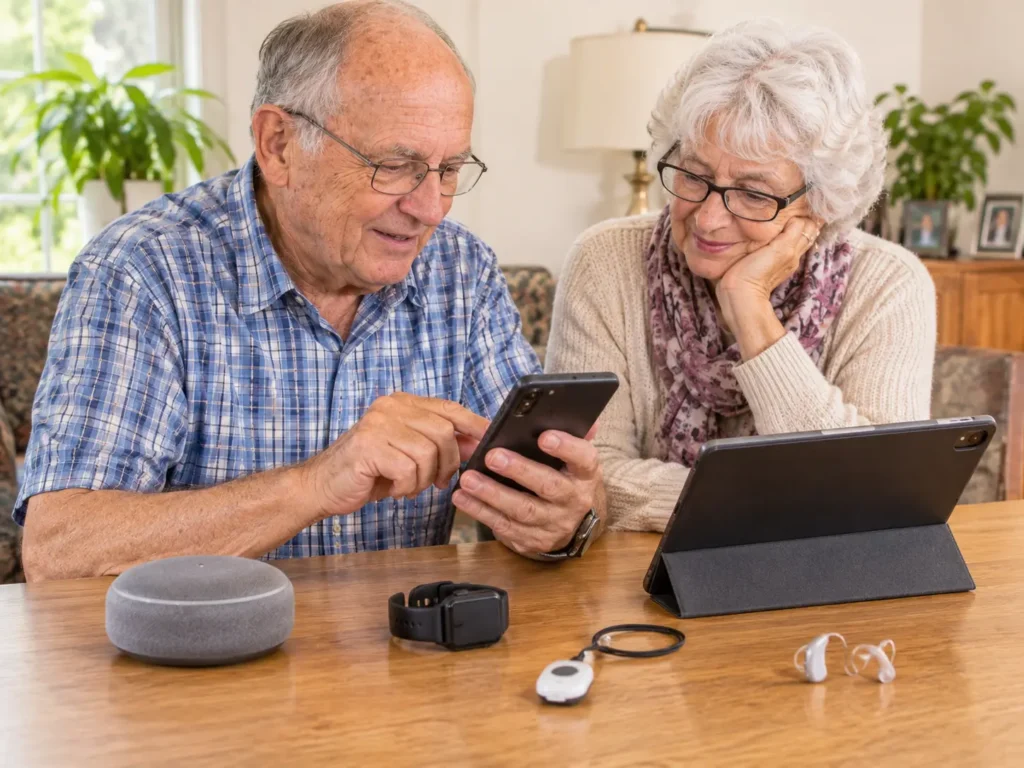
There is no single device that works for everyone. Some technologies support everyday convenience, while others address communication, accessibility, health, or safety. Here are eight useful categories to consider.
1. Smartphones and Tablets
Smartphones and tablets bring several everyday tools together, including phone calls, video calls, messaging, calendars, maps, reading apps, and online services. Smartphones are convenient for staying connected while away from home, while tablets offer a larger screen for reading, video calls, and browsing.
Most standard devices also include accessibility settings, so you don’t necessarily need a phone specifically marketed to seniors.
Look for: Adjustable text size, screen magnification, a readable display, clear audio, simple navigation, and regular security updates.
Who might benefit: Older adults who want one device for communication, reminders, reading, entertainment, and everyday online activities.
2. Wearables and Health Trackers
Wearable devices, such as smartwatches and fitness trackers, can record information about daily movement and activity. Depending on the model, features may include step counting, exercise tracking, sleep estimates, heart-rate monitoring, notifications, and reminders.
Some advanced models also offer fall detection or emergency calling, although availability and reliability vary between devices. Wearables provide estimates rather than medical diagnoses.
Look for: A comfortable strap, readable screen, suitable battery life, simple controls, smartphone compatibility, and clearly explained emergency features or subscription costs.
Who might benefit: People who enjoy tracking their activity, want reminders on their wrist, or prefer convenient access to selected health and fitness measurements.
3. Voice Assistants and Smart Speakers
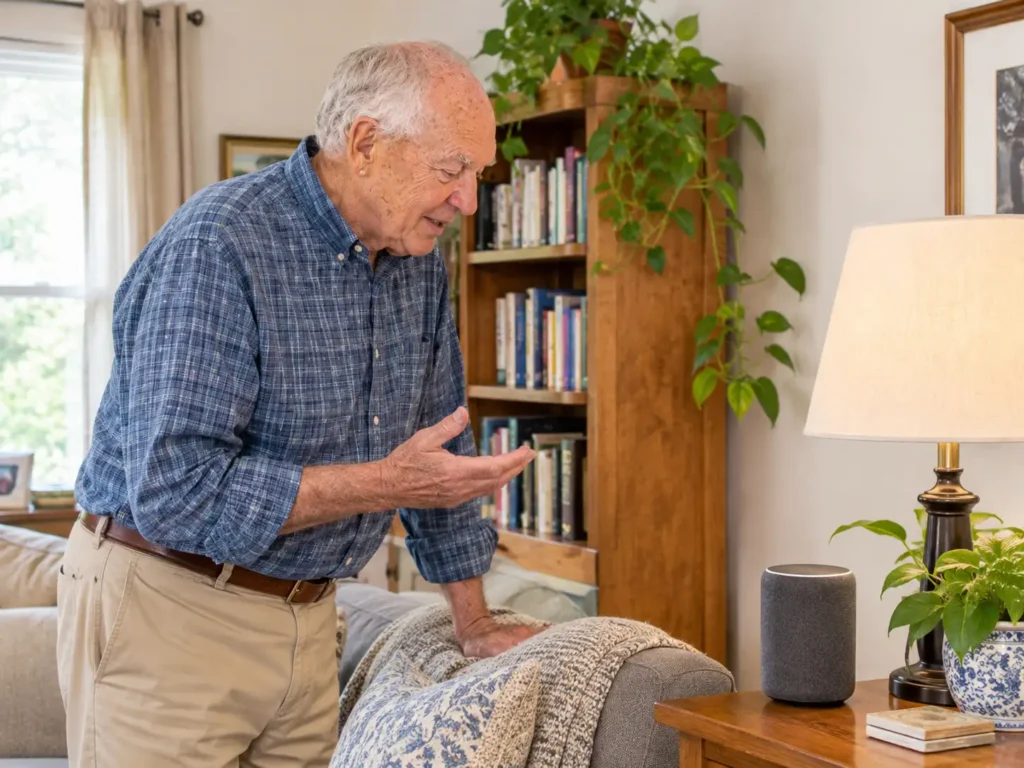
Voice assistants let people interact with technology by speaking instead of typing or navigating menus. Depending on the device, users can ask questions, set reminders, check the weather, play music, or control compatible household lights.
They can be particularly convenient for people who prefer hands-free interaction or find small touchscreens difficult to operate. However, voice recognition is not always accurate, especially with background noise or speech differences.
Look for: Reliable voice recognition, adjustable volume, clear spoken responses, microphone controls, privacy settings, and compatibility with existing devices.
Who might benefit: Older adults who prefer speaking to typing or want a convenient way to manage simple everyday tasks.
4. Medical Alert Devices
Medical alert devices are designed to help someone request assistance when needed. They commonly come as wearable pendants, wristbands, or portable devices with an emergency button. Depending on the service, pressing the button may connect the user to a monitoring center or a designated contact.
Some models also include automatic fall detection or GPS location features. Certain devices work only inside the home, while others can be carried outdoors.
Look for: Home and outdoor coverage, who receives alerts, battery life, water resistance, monthly monitoring fees, and what happens if the internet or mobile network fails.
Who might benefit: Older adults who want a dedicated way to contact assistance, particularly if reaching a phone quickly may sometimes be difficult.
Fall detection is not guaranteed to identify every fall, so a medical alert device should be considered one part of a wider safety plan.
5. Smart Home Technology
Smart home devices connect household equipment so it can be controlled remotely, through voice commands, or automatically. Examples include motion-sensor lights, smart thermostats, video doorbells, and smart plugs that control compatible appliances.
These tools can make selected household routines more convenient. For example, motion-sensor lighting can illuminate a hallway automatically, while a video doorbell can show who is at the front door.
Look for: Compatibility with existing devices, simple installation, clear controls, privacy settings, security updates, and manual alternatives if the system stops working.
Who might benefit: People who want easier control of household devices, automatic lighting, or convenient access to selected home features.
You don’t need to automate an entire home. Starting with one useful device may be more practical and affordable.
6. Telehealth and Digital Healthcare Tools

Telehealth allows people to consult healthcare professionals through video calls, phone calls, or secure online platforms when a virtual appointment is appropriate. Digital healthcare tools may also provide access to appointment details, medical records, prescription refill requests, and communication with healthcare providers.
For example, someone who finds travel inconvenient may use a video consultation for an appointment that does not require a physical examination.
Look for: A legitimate healthcare provider, secure login, clear booking instructions, compatibility with your device, and access to technical support.
Who might benefit: Older adults who want convenient access to healthcare consultations and digital health information.
Telehealth does not replace every in-person appointment. Some symptoms and examinations require an in-person assessment.
7. Assistive Technology for Hearing, Vision, and Mobility
Assistive technology helps people manage specific accessibility needs. For vision, useful options include screen magnifiers, screen readers, larger text, and high-contrast settings. For hearing, options may include hearing aids, amplified telephones, and compatible hearing-assistance systems.
Mobility-related tools include walking aids and other equipment selected to support movement. The appropriate option depends on the person’s needs and may require professional assessment or fitting.
Look for: Suitability for the specific need, comfort, ease of handling, compatibility with other devices, maintenance requirements, and whether professional guidance is needed.
Who might benefit: Older adults who want to make reading, listening, communication, or movement more accessible.
Sometimes, an accessibility setting on an ordinary smartphone is all that is needed. Specialist equipment may be more appropriate for other situations.
8. AI Companions and Social Robots
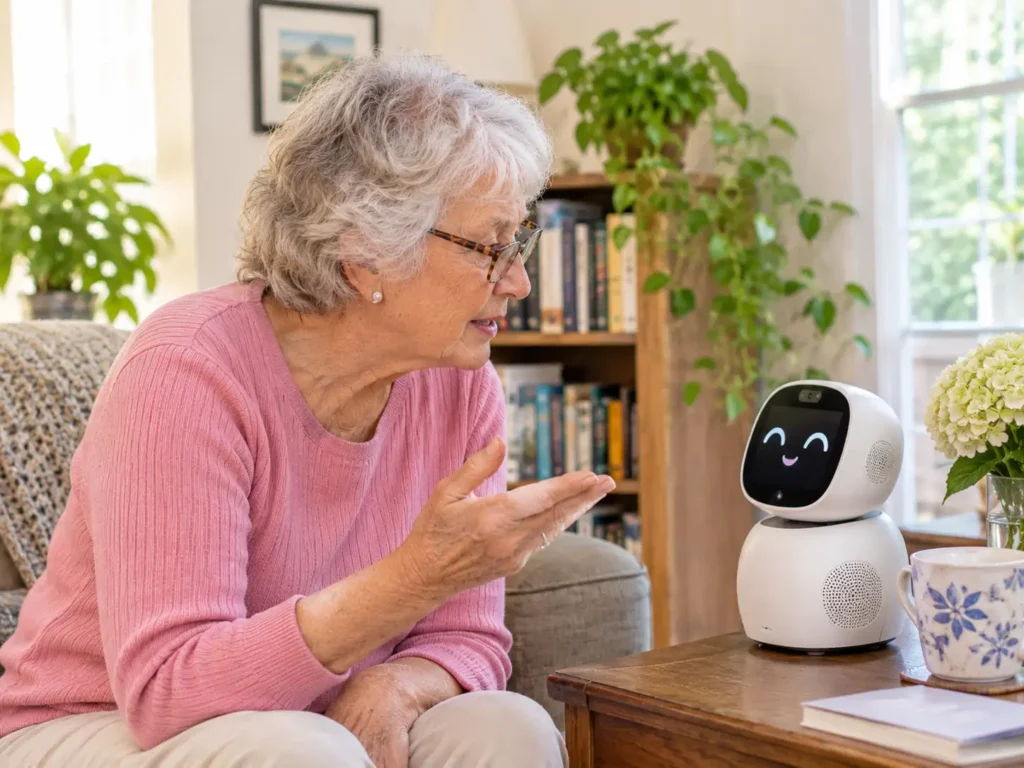
AI companions and social robots are emerging technologies that may support conversational interaction, answer general questions, provide reminders, or offer entertainment. Some work through voice-based software, while others combine conversational AI with a physical device.
For people who prefer speaking rather than navigating multiple apps, conversational technology may offer a more natural way to access information or complete simple tasks. However, capabilities differ widely between products, and not every AI companion offers the same features.
Look for: Clear information about capabilities and limitations, privacy controls, microphone settings, accessible voice interaction, transparent data policies, and access to human assistance when needed.
Who might benefit: Older adults interested in conversational technology for everyday information, reminders, or entertainment.
AI companions should complement, not replace, relationships with family, friends, caregivers, or healthcare professionals. AI can also produce inaccurate information, so it should not be relied on for medical decisions or emergency response.
Choosing the Right Technology Matters More Than Choosing the Newest
The best technology for older adults is not necessarily the most expensive or advanced. It is the tool that addresses a real need and feels comfortable to use.
Before choosing a device, consider how easy it is to operate, whether it requires internet access or a monthly subscription, and what support is available for setup and maintenance. Sometimes adjusting an existing phone is enough. In other situations, a dedicated device or professional assessment may be more suitable.
The goal is not to own more technology. It is to find the right support for everyday life.
How Can Technology Help Older Adults Live Independently?
Living alone does not automatically mean an older adult needs constant monitoring or assistance. Many people manage their own routines comfortably. However, the right technology can make certain tasks easier, provide another way to contact help, and make staying connected more convenient.
The best approach is to start with an everyday need rather than buying several devices. Here are five ways technology can support independent living.
1. Staying Connected With Family and Friends
Smartphones, tablets, and video-calling apps make it easier to speak with family and friends who live elsewhere. Online groups can also help people connect with others who share interests such as gardening, books, music, or exercise.
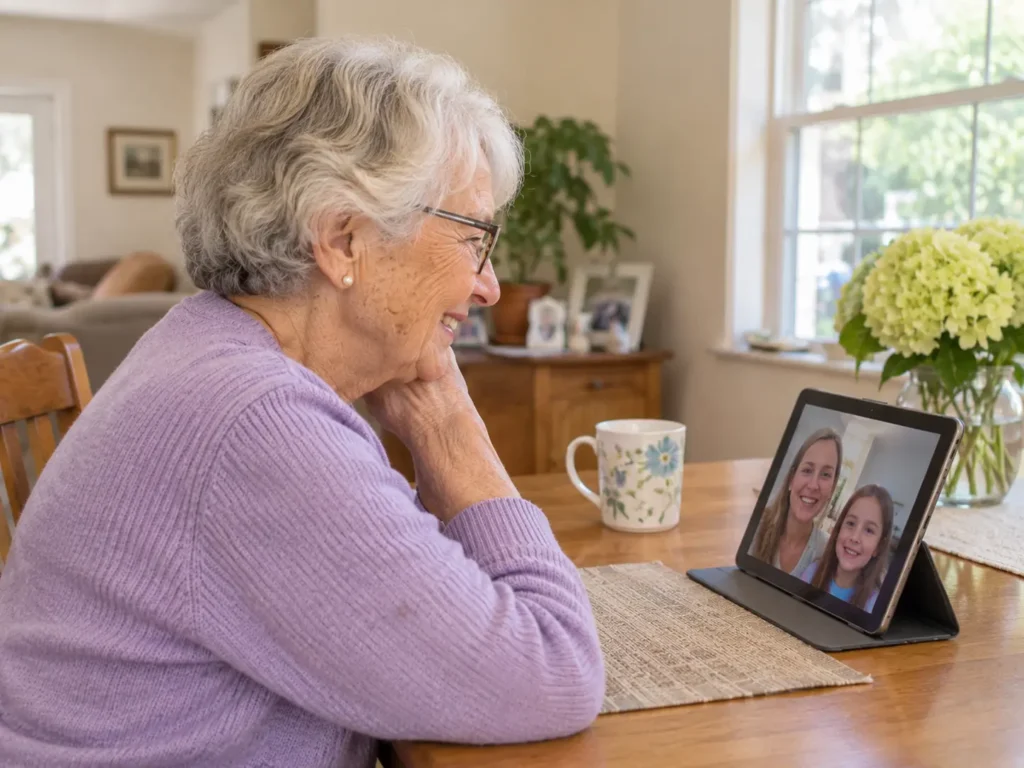
Practical example: Set up a video-calling app and save frequently used contacts so calls are easy to make without searching through menus.
2. Remembering Appointments and Daily Tasks
Digital calendars and reminder apps can provide notifications for appointments, planned activities, bill payments, and other everyday responsibilities. Voice assistants can also set reminders through spoken commands.
Practical example: Add recurring reminders for regular appointments or daily tasks, using clear labels and notification settings that are easy to notice. Medication reminders can help with scheduled doses, but they do not replace medical instructions or confirm that medication has been taken.
3. Moving Around the Home More Comfortably
Motion-activated lights can illuminate hallways, entrances, and routes to the bathroom when someone walks past a sensor. Automatic lighting can be particularly convenient at night, when finding a switch may be difficult.
Practical example: Install motion-sensor lights along frequently used routes, especially between the bedroom and bathroom. Keep walkways clear and secure loose rugs, as lighting alone cannot remove household hazards.
4. Contacting Help When Needed
A smartphone provides access to emergency contacts and emergency calling features. Medical alert devices offer another option: depending on the service, pressing a button can connect the user to a monitoring center or a designated contact. Some devices also include fall detection or location features.
Practical example: Save important contacts on the phone and learn how its emergency calling feature works. If choosing a medical alert device, check where it works, who receives alerts, and whether a subscription is required.
A medical alert device cannot guarantee that every fall or emergency will be detected. It should be chosen according to the person’s needs and not treated as a replacement for emergency services.
5. Finding Opportunities for Conversation and Social Connection
Video calls, online communities, and interest-based groups can make it easier to participate in conversations and social activities without traveling. Some people may also enjoy conversational AI tools that answer general questions, play music, or provide simple reminders.
Practical example: Arrange regular calls with people you enjoy speaking with or join an online group related to a personal interest. Conversational AI is another option to explore, but it cannot replace the understanding and relationships that come from human interaction.
The most useful technology for seniors living alone depends on the individual. One person may need only a phone and a digital calendar, while another may find automatic lighting or an emergency response device helpful. Technology should support personal choice and make independent living more manageable, not create pressure to use devices that aren’t needed.
Why Do Some Older Adults Struggle With Technology?
Not every older adult finds technology difficult, and not every challenge comes from a lack of experience. Sometimes, devices are simply difficult to use. Small text, confusing instructions, online safety concerns, high costs, and limited internet access can all affect someone’s comfort with digital tools.
Understanding these barriers to technology use for older adults helps identify what actually needs to change. The solution is not simply to encourage people to use technology more often. It is to make devices more accessible, affordable, understandable, and relevant to everyday needs.
1. Small Text and Complicated Screens
Small text, low contrast, crowded screens, and unclear icons can make smartphones, websites, and applications frustrating to navigate. Some tasks also require too many steps, even when the user only wants to make a call or send a message. Increasing text size, adjusting display contrast, enabling screen magnification, and choosing applications with simple layouts can make devices easier to use.
2. Lack of Confidence or Fear of Making Mistakes
Someone learning a new device may worry about accidentally deleting photographs, changing important settings, sending messages incorrectly, or making an unwanted payment. Learning several unfamiliar applications at once can make this uncertainty worse. Starting with one useful task, practicing at a comfortable pace, and allowing the person to operate the device independently can gradually build confidence.
3. Online Scams and Privacy Concerns
Suspicious messages, fake customer-support calls, fraudulent websites, and misleading payment requests can make people hesitant about using digital services. Some scams attempt to obtain passwords, PINs, one-time passwords (OTPs), or access to a device. Learning to recognize unexpected requests, use official websites, create strong passwords, and review privacy settings can make online activities safer. Never share confidential information with someone who contacts you unexpectedly.
4. Cost and Limited Internet Access
The cost of technology goes beyond buying a device. Mobile data, broadband, subscriptions, repairs, accessories, and maintenance can add ongoing expenses. Some services, including medical alert systems and smart home devices, also require monthly payments. Limited internet availability can make video calls, telehealth, and connected devices difficult to use. Comparing total costs and exploring lower-cost alternatives, libraries, and community technology programs can help.
5. Poor Accessibility and Product Design
Some products are not designed with different levels of experience, vision, hearing, or physical ability in mind. Tiny controls, complicated setup instructions, unclear menus, and difficult password requirements can create unnecessary obstacles. Before choosing a device, consider its actual ease of use, accessibility settings, setup process, and customer support rather than relying only on advertising claims.
Technology adoption is not simply about whether older adults are willing to learn. Devices and services also need to meet people’s needs. When technology is accessible, affordable, understandable, and supported by useful guidance, people can make more confident choices about using it.
How Can Older Adults Learn to Use Technology?
Learning a new device is easier when it starts with something useful. Whether someone wants to make video calls, read messages, or manage appointments online, the goal is to learn the features they actually need—not every function a device offers.
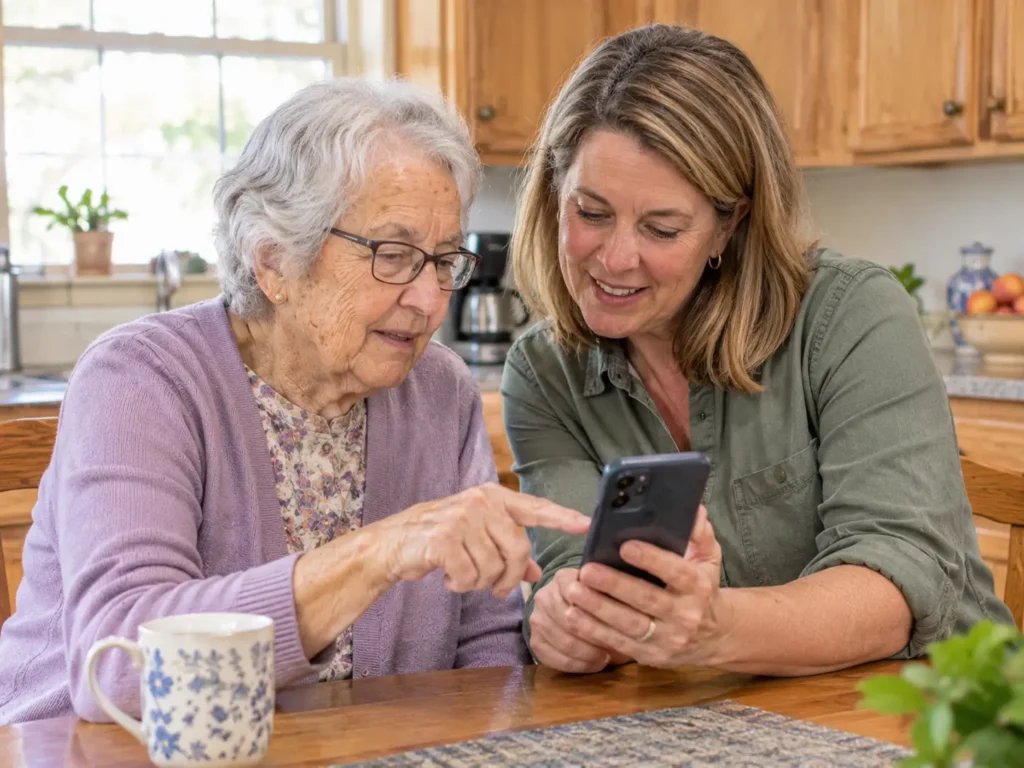
Here are five practical ways to get started.
1. Start With One Device and One Task
Choose one device and focus on a single activity before moving on to something else.
For example, someone who wants to speak with family online can start by learning how to make and answer a video call. Other useful first tasks include saving a contact, reading a message, or setting an appointment reminder.
Practicing one activity several times helps make the steps more familiar.
2. Adjust Accessibility Settings
Most smartphones, tablets, and computers include built-in settings that can make them easier to use. Useful options include:
– Larger text: Make messages and menus easier to read.
– Screen contrast: Make text and controls easier to distinguish.
– Captions: Display spoken words as text in supported videos and calls.
– Voice typing: Write messages by speaking instead of typing.
– Screen magnification: Enlarge details on the display.
– Fewer notifications: Reduce unnecessary alerts.
Settings vary by device, so someone can help locate the options if needed. Adjusting an existing device may be all that is necessary.
3. Ask Someone Patient for Guidance
A family member, friend, or instructor can demonstrate how a device works and explain unfamiliar steps. However, it’s important to let the learner operate the device themselves.
A helpful approach is to demonstrate one task, let the person repeat it, and write down the steps for future reference. This makes it easier to use the device independently rather than relying on someone else for every task.
4. Look for Free Technology Classes
Libraries, community centers, senior organizations, and nonprofit programs may offer technology classes for older adults. These can include basic smartphone lessons, computer workshops, and help with email or online services.
When searching for programs for older adults learning technology, check local libraries and community organizations first. Availability and fees vary by location, so ask whether beginner sessions are free and whether they cover the device you want to learn.
5. Practice Regularly
A few minutes of practice with everyday activities can help make a new device more familiar. Try making a call, opening a message, checking a calendar, or using another feature you have recently learned.
A small written guide with instructions for common tasks can also be useful when you need a reminder.
The best way to learn technology is to connect it to something meaningful, such as calling family, reading online, joining an exercise class, or managing appointments. Start with what is useful and add other features only when you need them.
How to Choose the Right Technology for Your Needs
Choosing the best technology for older adults is not about buying the newest device or the one with the most features. It is about finding something that solves an everyday problem, is easy to use, and fits your budget and routine.
Before buying, ask these seven questions:
1. Does It Solve an Actual Problem?
Think about what you want to make easier: video calling, remembering appointments, reading messages, or contacting someone in an emergency. Choose technology that addresses that specific need rather than buying features you may never use.
2. Is It Easy to Operate?
Check whether the buttons, menus, and main functions are straightforward. If possible, try the device before buying it and test the features you expect to use most.
3. Can I Read the Screen and Understand the Instructions?
Look for readable text, adjustable volume, clear controls, and useful accessibility settings. Don’t assume a product advertised for older adults will automatically meet your needs.
4. Does It Require a Subscription?
Check the full cost, not just the purchase price. Some devices charge monthly or annual fees for monitoring, cloud storage, or additional features. Find out which functions are included and whether essential features work without a subscription.
5. Is My Personal Information Protected?
Check what information the device collects, how it is used, and whether it is shared. Look for secure account access, software updates, and privacy controls, especially for products with cameras, microphones, or health information.
6. Can I Get Help Setting It Up?
Some devices require Wi-Fi connections, account creation, application installation, or pairing with other products. Check whether the manufacturer offers clear instructions and customer support, or whether someone can help with setup.
7. Will It Work if the Internet or Electricity Fails?
Find out whether essential features work offline, whether the device has battery backup, and what happens if the network becomes unavailable. This is particularly important for emergency and safety devices.
A Simple Example
Imagine someone wants to video call their children and grandchildren but has never used a video-calling application. They might consider buying a new smartphone, tablet, smart speaker, and smart home system.
However, a smartphone or tablet with a readable screen, a reliable internet connection, and one easy-to-use video-calling app may be enough. They can start with making and receiving calls and explore other features later if needed.
The best technology for independent living is the technology that fits the person’s needs, preferences, and budget. A simple device that gets used regularly is often more useful than an advanced product that feels unnecessary or difficult to operate.
Is Technology Safe for Older Adults?
Technology can make everyday activities more convenient, but connected devices and online services require some basic safety precautions. Older adults do not need to avoid technology; they need to understand how to protect personal information, recognize suspicious activity, and use digital tools carefully.
Here are five important habits to follow.
1. Protect Passwords, PINs, and OTPs
Never share passwords, banking PINs, or one-time passwords (OTPs) with someone who contacts you unexpectedly. Use strong, unique passwords for important accounts, especially banking, email, and healthcare services. Enable two-factor authentication (2FA) where available for an additional layer of account protection.
2. Avoid Suspicious Links and Unexpected Payment Requests
Be cautious of messages claiming your bank account will be blocked, asking you to click an unfamiliar link, or requesting urgent payment. Scammers may also pretend to be family members or technical support staff. Verify unexpected requests by contacting the person or organization through a number or website you already trust.
3. Review Microphone, Camera, and Location Permissions
Smartphones, smart speakers, and connected cameras may collect information to provide certain features. Check which applications can access your microphone, camera, and location. Allow permissions only when they are necessary, and review privacy settings to understand whether recordings or other information are stored or shared.
4. Understand Who Receives Health Information and Emergency Alerts
Wearables and medical alert devices may share information with family members, caregivers, or monitoring services. Before relying on one, check who receives alerts, what information is shared, whether monitoring is available around the clock, and what happens if the device loses power or network connectivity. These devices can support a safety plan, but they cannot guarantee that every emergency will be detected.
5. Verify Information From AI Tools
AI assistants and chatbots can help answer questions and explain information, but their responses can be inaccurate or outdated. Avoid sharing sensitive personal or medical information with unfamiliar AI services. Verify medical advice with a qualified healthcare professional and financial information with a trusted financial institution or qualified adviser. Do not rely on AI to make emergency decisions.
If something seems suspicious or confusing, pause and ask a trusted person or the relevant service provider before taking action. If you believe you have shared banking details or account information with a scammer, contact your bank immediately.
Technology safety for seniors is about making informed choices, not avoiding digital tools. A few sensible precautions can help older adults use technology while maintaining greater control over their privacy and security.
What Does the Future of Technology for Older Adults Look Like?
Technology for older adults is moving beyond individual devices towards more connected, accessible, and personalized ways of supporting everyday life. Some developments are already available, while others are still evolving. Their value will depend on whether they are practical, reliable, affordable, and easy to use.
Here are six trends shaping the future.
1. More Accessible Voice-Controlled Devices
Voice-controlled technology already allows people to ask questions, set reminders, play music, and control compatible household devices without navigating menus or typing. As voice recognition improves, these tools may become better at understanding different accents and natural speech patterns. Voice control should still remain an option alongside buttons and touchscreens, since it does not work equally well in every situation.
2. AI-Powered Assistants and Conversational Technology
AI-powered assistants are developing beyond fixed commands toward more natural conversations. They may help explain unfamiliar technology, answer everyday questions, organize activities, and provide reminders through simple interactions. However, AI can misunderstand questions or provide inaccurate information. Privacy, reliability, and access to human support will remain important as these tools develop.
3. More Personalized Digital Reminders
Future digital assistants may become better at adapting reminders and suggestions to individual routines. For example, someone might receive reminders for appointments, planned activities, or family calls at times they choose. Personalization should remain under the user’s control, with the ability to change preferences, manage stored information, or turn reminders off.
4. More Connected Homes
Smart lighting, doorbells, security systems, and household appliances may increasingly work together through connected platforms. This could make it easier to manage different home functions using a phone, voice command, or automated setting. However, compatibility, subscription costs, privacy, and internet or power outages need consideration. Essential household functions should still have practical alternatives when connected devices are unavailable.
5. Technology Designed Around Accessibility
Product design is increasingly recognizing the importance of accessible interfaces. Larger text, clear layouts, captions, screen readers, voice navigation, and simpler controls can make technology more comfortable for people with different abilities and levels of experience. Accessibility should be part of the original design, not an extra feature added later.
6. Social Robots and Digital Companionship
Social robots and AI companions are developing ways to interact through conversation, reminders, entertainment, and activities. Some products already offer basic conversational interaction, while more personalized experiences are still evolving. These tools may provide an additional form of engagement, but they cannot replace meaningful relationships, human understanding, or professional care.
What Matters Most?
The future of technology for older adults should not be measured by how advanced devices become. It should be measured by whether they make everyday life easier while respecting personal choice, privacy, and independence.
Some people may welcome AI assistants and connected homes, while others may prefer a simple smartphone and familiar routines. Technology should support independence and human relationships, not replace them. The best developments will give people more choices and greater control over how they live.
Frequently Asked Questions
1. What Is the Best Technology for Older Adults?
The best technology depends on individual needs. Smartphones help with communication, wearable devices track everyday activity, medical alert systems provide a way to request assistance, and smart home devices can make household tasks easier. Choose tools that are useful, accessible, and comfortable to operate.
2. How Do Older Adults Use Technology?
Older adults use technology to make calls, send messages, video chat, browse the internet, manage appointments, access healthcare services, shop, and stay connected with others. Some also use wearable devices, voice assistants, and smart home tools to make everyday activities more convenient.
3. What Are Some Examples of Technology That Can Help Older People?
Examples include smartphones, tablets, video-calling apps, hearing aids, screen magnifiers, medication reminder apps, activity trackers, medical alert devices, voice assistants, and smart lighting. Each serves a different purpose, so the right choice depends on the activity or challenge someone wants to address.
4. How Does Technology Affect the Older Generation?
Technology can help older adults communicate, access information, manage daily responsibilities, and participate in activities online. However, complicated interfaces, high costs, limited internet access, and online scams can create barriers. Its impact depends on how accessible, affordable, and relevant the technology is.
5. Why Do Some Elderly People Struggle With Technology?
Some older adults find technology difficult because of small text, complicated menus, unfamiliar terminology, limited digital experience, or concerns about online safety. High device and internet costs can also create barriers. Accessible design, clear instructions, and practical guidance can make technology easier to use.
6. What Technology Is Useful for Seniors Living Alone?
Useful options include smartphones, video-calling apps, digital reminders, motion-sensor lighting, and medical alert devices. Voice assistants and smart doorbells may also help with certain daily tasks. The right combination depends on individual preferences, household needs, and the level of support someone wants.
7. What Are the Best Assistive Devices for Older Adults?
Assistive devices depend on individual needs. Hearing aids and personal amplifiers support hearing, while screen magnifiers and screen readers improve access to digital information. Walking aids, grab bars, and medical alert devices serve other purposes. A qualified professional can help identify suitable equipment.
8. Are There Free Technology Classes for Older Adults?
Yes. Public libraries, community centers, senior organizations, and nonprofit programs may offer free technology classes for older adults. Topics can include smartphone basics, video calling, internet use, and online safety. Check with local organizations for available classes, eligibility, and registration requirements.
9. How Can Technology Help Older Adults Live Independently?
Technology can make everyday tasks easier through digital calendars, online services, smart home devices, and emergency alert systems. Video calls and online communities also make staying connected more convenient. The right tools can support personal independence without replacing human assistance when it is needed.
10. Is AI Technology Safe for Older Adults?
AI can help with everyday questions and tasks, but its answers are not always accurate. Avoid sharing sensitive personal or financial information, and verify important medical and financial advice with qualified professionals. Check privacy settings and treat AI as an additional tool, not a replacement for human support.
Also Read:
Free 28-Day Chair Yoga for Seniors (Printable PDF & Chart + Daily Challenge Plan)
9 Benefits of Playing Puzzles for Older Adults: Brain, Memory & Mental Health
Normal Aging vs Dementia: Key Differences, Early Signs & What’s Normal